
Download Parsec – remote gaming, low-latency desktop sharing, video streaming, cross-platform compatibility, high-quality gaming experience
Overview
Parsec is a high-performance desktop capture and video streaming application designed to deliver a seamless remote gaming experience across multiple devices. Built for users who demand real-time responsiveness, Parsec enables the streaming of video games and desktop sessions over an internet connection, allowing gameplay to occur on one machine while being controlled and viewed remotely on another. This functionality is particularly valuable for gamers seeking to access their high-end gaming rigs from mobile or less powerful devices, as well as professionals requiring low-latency remote access for collaboration or remote work.
The app serves as both a gaming platform and a desktop sharing tool, offering a dual-purpose utility that bridges entertainment and productivity. Its primary value lies in minimizing input lag and maintaining visual fidelity during streaming, making it suitable for fast-paced games and detailed work environments alike. Target users include gamers with powerful desktops, remote workers, IT professionals, and content creators who need reliable screen sharing and remote access capabilities.
Developed by Parsec Inc., the application is built with performance and compatibility in mind. While specific technical details about the underlying architecture were not provided, the app’s focus on low-latency streaming suggests optimized data compression and transmission protocols. Real-world use cases include playing AAA titles from a home PC while traveling, assisting colleagues with technical issues remotely, or setting up a gaming station on a tablet using a remote desktop. In the broader app ecosystem, Parsec fills a niche for high-fidelity remote interaction, standing out in a market often dominated by general-purpose screen sharing tools.
Key Features & Functionality
- Remote Gaming Experience: Users can stream games from a host machine to a remote device, enabling access to high-performance gaming setups from anywhere. This allows players to enjoy titles that require powerful hardware on devices with lower specs, such as tablets or older laptops.
- Low-Latency Desktop Sharing: The application supports real-time screen sharing with minimal delay, making it ideal for collaborative work, remote troubleshooting, or live demonstrations where responsiveness is critical.
- High-Quality Video Streaming: Parsec maintains high visual fidelity during streaming, preserving the original resolution, color depth, and frame rate of the source content. This ensures an immersive experience, especially important in graphically intensive games or detailed design work.
- Cross-Platform Compatibility: Parsec supports a wide range of operating systems, including Android, iOS, Windows, macOS, Linux, and Raspberry Pi. This flexibility allows users to connect across diverse devices, ensuring consistent access regardless of the platform they’re using.
- Easy Setup and Configuration: The application features a streamlined onboarding process with minimal configuration required. Users can quickly pair devices and begin streaming, reducing the learning curve and enabling rapid deployment in both personal and professional settings.
Each feature is designed to enhance user efficiency and experience. For example, a content creator can stream gameplay from a Windows PC to an iPad for live commentary, while a developer can remotely access a Linux workstation from a macOS laptop to debug code. The combination of low latency and high-quality output makes Parsec a reliable tool for both entertainment and professional workflows.
Interface, UX & Performance
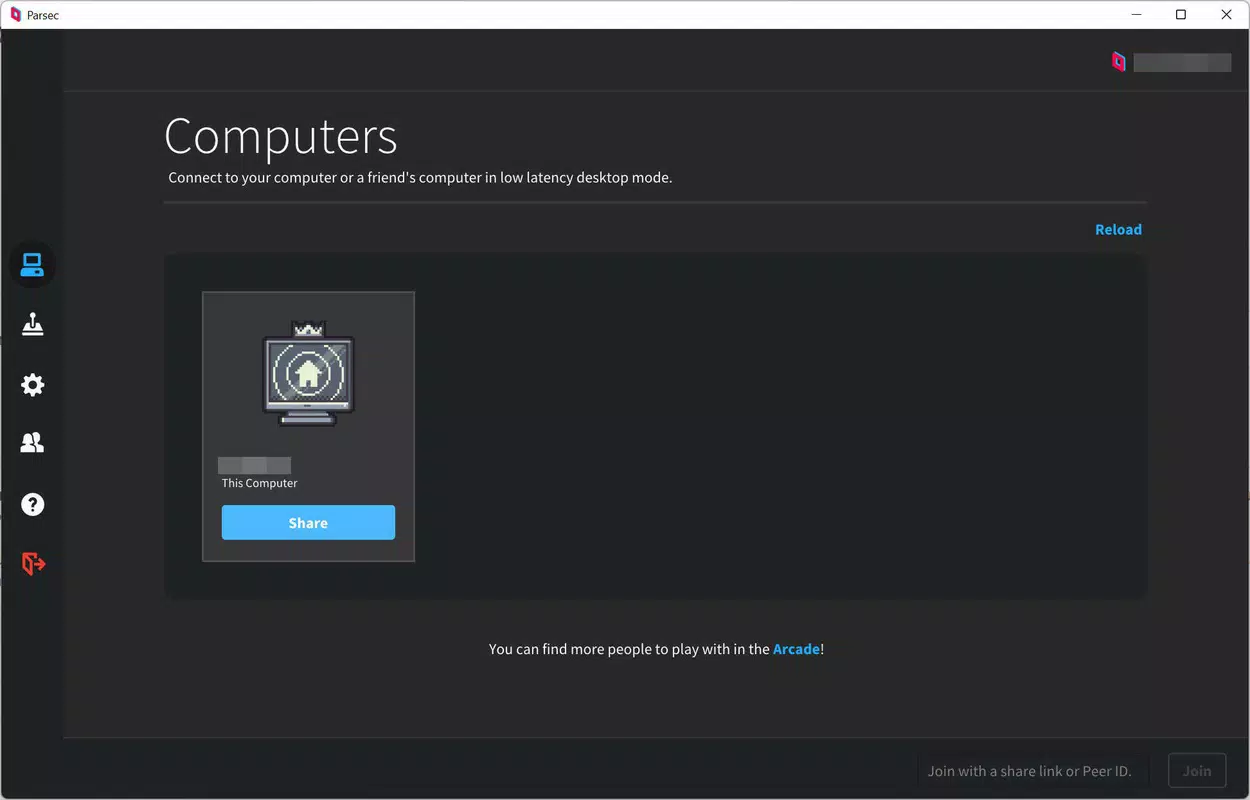
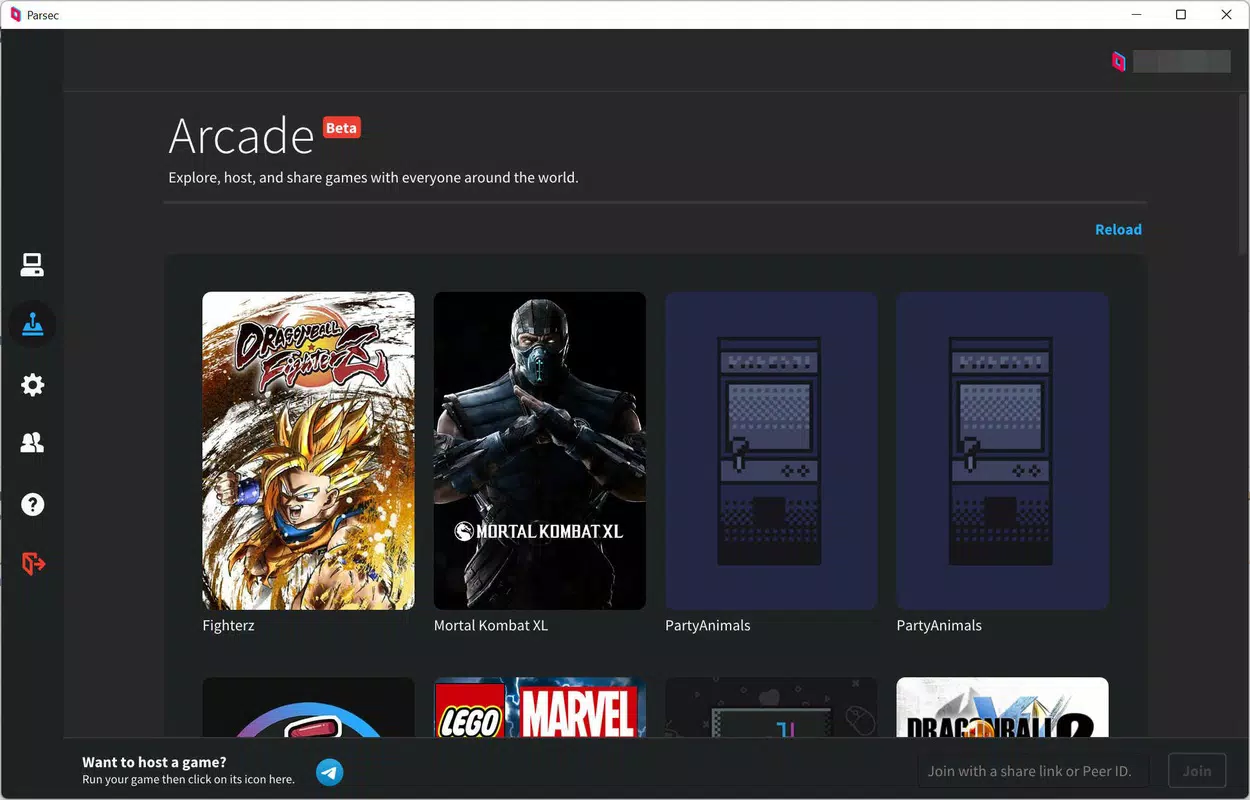
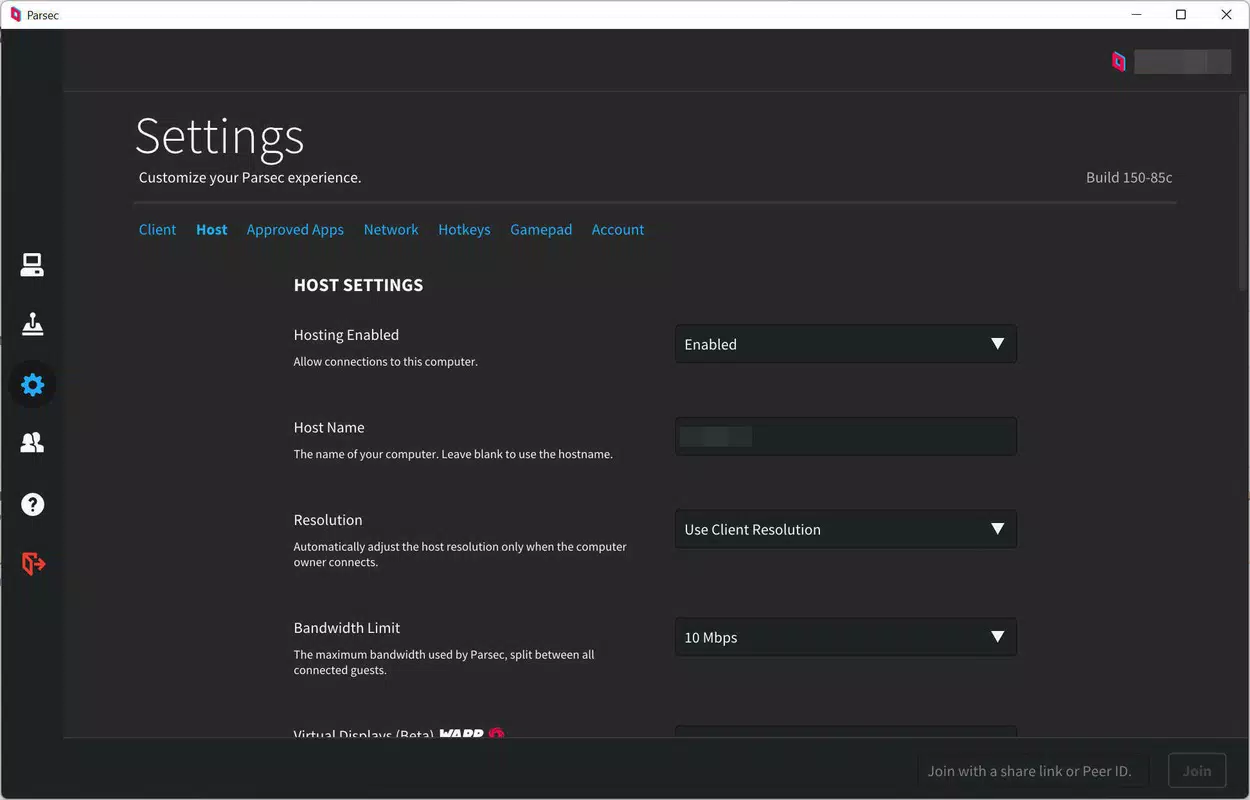
Parsec’s user interface is designed with functionality and clarity in mind, offering a clean layout that prioritizes essential controls. The main dashboard provides quick access to connected devices, session status, and input settings, minimizing navigation complexity. Visual elements are minimal yet effective, ensuring that users can focus on gameplay or shared content without distractions.
Navigating between devices and starting a new session is intuitive, with a consistent flow that supports both novice and experienced users. The app supports touch, keyboard, and controller inputs, adapting seamlessly to different interaction methods. Performance is optimized for responsiveness, with the developer emphasizing low-latency streaming as a core feature. Although the developer did not list formal performance metrics, the app’s design suggests efficient handling of video encoding and network transmission.
On various device categories—including smartphones, tablets, and laptops—Parsec maintains stable performance, with smooth frame delivery and minimal input delay. The app demonstrates strong stability during extended sessions, reducing the risk of crashes or disconnections. Users can expect consistent behavior across different hardware configurations, though specific performance benchmarks were not disclosed. The overall experience reflects a mature application built for reliability and speed.
Platform Compatibility & Technical Requirements
Parsec is available on multiple platforms, including Android, iOS, Windows, macOS, Linux, and Raspberry Pi. This broad compatibility ensures that users can stream content across a wide range of devices, regardless of their operating system. The app is designed to work across different hardware tiers, from mobile devices to desktop computers, enabling flexible deployment in both personal and professional environments.
The current version is 2.7.1, with a file size of 24.1 MB. This relatively small footprint suggests efficient code optimization and minimal storage usage, making it accessible even on devices with limited space. While specific OS version requirements were not listed, the app’s support for modern operating systems indicates compatibility with recent releases. The developer did not specify minimum hardware or network requirements, but the focus on low-latency streaming implies a need for stable internet connectivity and sufficient processing power on the host device.
Pros and Cons
- Supports cross-platform streaming across Android, iOS, Windows, macOS, Linux, and Raspberry Pi
- Delivers low-latency performance for responsive remote gaming and desktop sharing
- High-quality video streaming preserves visual fidelity and frame rates
- Simple setup and configuration process reduces user friction
- Free to download and use, with no in-app purchases or subscriptions
- Performance may vary depending on network stability and host device capabilities
- Advanced features may require technical knowledge for optimal configuration
- Specific system requirements were not disclosed, which may affect compatibility for some users
- Limited public documentation on backend infrastructure or security protocols
- May not be suitable for users with inconsistent or low-speed internet connections
FAQ
Is Parsec safe to use?
Parsec employs secure communication protocols to protect data during transmission. While specific security details were not provided, the app’s focus on low-latency, real-time streaming suggests the use of encrypted connections to safeguard user sessions.
Can I use Parsec on multiple devices?
Yes, Parsec supports simultaneous connections across multiple devices. Users can stream from a single host machine to several remote devices, provided each device has the Parsec app installed and proper network access.
Does Parsec require a powerful host device?
Yes, the host machine must have sufficient processing power, GPU capability, and stable internet connectivity to maintain smooth streaming. The app is designed to offload processing to the host, so performance depends heavily on the host’s hardware.
Is Parsec available for Android and iOS?
Yes, Parsec is available for both Android and iOS devices. Users can download the app from their respective app stores and connect to a host machine for remote access or gaming.
How often does Parsec receive updates?
Parsec is regularly updated to improve performance, fix bugs, and add new features. The latest version, 2.7.1, was released on May 22, 2024, indicating active development and ongoing support.
Final Thoughts
Parsec stands out as a versatile and high-performance tool for both gaming and professional remote access. Its ability to deliver low-latency, high-quality video streaming across multiple platforms makes it a valuable asset for users who need reliable remote interaction. Whether you're a gamer accessing your PC from a tablet or a professional collaborating across devices, Parsec offers a seamless experience with minimal setup.
The combination of cross-platform support, intuitive interface, and free access enhances its appeal across diverse user groups. While advanced users may benefit from deeper configuration options, the app remains accessible to beginners. For anyone seeking a secure, efficient, and future-ready solution for remote desktop sharing and gaming, Parsec delivers strong value.
Download Parsec now


